![abtrace-logo-colour@2x-3.png]](https://help.abtrace.co/hs-fs/hubfs/abtrace-logo-colour@2x-3.png?width=124&height=60&name=abtrace-logo-colour@2x-3.png)
Understanding User Permissions
By default, all users can access Patient View and Population View.
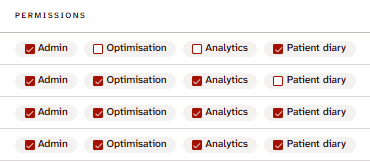
In the User Management Portal, each user can be given four types of additional permissions in the Members section of the Team page. These determine which extra features of the Proactive Monitoring Tool they can see and use.
As an administrator, you can manage access rights for each user at the practice.
Simply tick the relevant button to enable the particular permission(s) for the user.
-
Red box with tick = the user has the permission
-
White box with no tick = the user does not have the permission
Admin
-
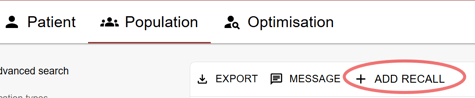
Allows the user to create automated recalls.
-
Users with this permission will see the “Add Recall” button in the Population View.
Optimisation
-
Allows the user to access the Optimisation View
Analytics
-
Allows the user to access the Analytics dashboard.
Only users with the relevant permissions will see these sections in the desktop app.