![abtrace-logo-colour@2x-3.png]](https://help.abtrace.co/hs-fs/hubfs/abtrace-logo-colour@2x-3.png?width=124&height=60&name=abtrace-logo-colour@2x-3.png)
If you're seeing an unexpected error, a good starting point is checking for one of the following common causes.
-
Check SystmOne is running
-
Confirm SystmOne is open on the Gateway PC. Also check this is the same instance of SystmOne that the pipeline was originally set up on - running a different instance can also trigger this error.
-
Confirm the Abtrace tool is running on the same Gateway PC.
-
-
Check the correct organisation/site is selected
-
Confirm the same organisation is selected in both SystmOne and Abtrace. A mismatch here can cause unexpected errors.
-
-
Ensure the correct Proactive Monitoring Tool is installed for your EHR (EMIS or SystmOne)
- Go to the User Management Portal and log in with your credentials.
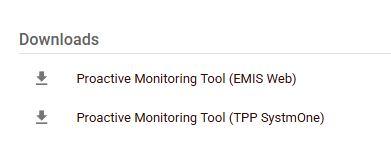
- Find the Downloads section on the right-hand side of the screen. You'll see two installers, choose the one that matches your clinical system: EMIS or SystmOne.
- Need more help? Watch a quick video walkthrough to follow the steps.
ℹ️ Still seeing an error after these checks?
It may already be covered in one of our other SystmOne articles:
- Data Status Warning (SystmOne)
- Automated Recall Failures (SystmOne)
- Data transfers are not consistent / are being blocked (SystmOne)
- Encryption keys (SystmOne)
You can also browse all articles in our Troubleshooting section for other common issues.
📌 Still stuck? If none of the above resolves the issue, or you're seeing a specific error message not covered here, please contact us via our Web Portal and select Support Ticket, or email us directly at support@abtrace.co.